

I was wrong about semantic layers.
Why semantic layers are more important now than they ever were, and testing out a cool new open-source tool to help you build one effectively
Honestly, I never thought I’d be writing a post in support of semantic layers. I always thought they were a huge effort to build out for very little reward. Not to mention, most data teams were never in a position to even think about a semantic layer.
But now there is a new way of working (hello AI), and semantic layers are necessary. They were previously built for stakeholders with the hope that they would standardize metric calculations. If we are honest with ourselves, we can admit that nobody really used them.
Now, semantic layers are needed for the same reason, but for a different user in mind- AI tooling. And we can guarantee that this user will actually use them, not just say they will.
Why AI Needs a Semantic Layer
Let’s pretend your data team built out all the data models needed to answer any business question. This is the first step towards self-service or AI-enabled analytics.
However, the docs aren’t super clear for every model and field, and there are only code comments on some of your SQL, not all. You want to use your data models to power an AI agent for analytics, but you aren’t getting the results you expected.
The agents are applying logic and patterns to your data models, which isn’t always accurate when it comes to business decisions. They also keep assuming different metric definitions each time, because these live in your BI tool, not dbt.
This right here is exactly why we need semantic layers.
Even in a perfect world with complete data models (which doesn’t exist), agents struggle with getting the context necessary to answer business questions accurately. AI needs to have a clear way of knowing what definitions to follow based on what lives in BI, your transformation layer, but also your docs.
Without these tools all coming together within one semantic layer, information is inconsistent and AI will continue to make its own guesses.
Anthropic has echoed this in their latest article, “How Anthropic enables self-service data analytics with Claude”. They were able to achieve 95% accuracy by implementing:
Strong data foundations (data models, complete testing)
Sources of truth (semantic layer, query patterns, lineage, business context)
Skills
Validation
I’ve shouted from the rooftops on the importance of data modeling, and now I’m really starting to think about the sources of truth and how we bring all of the information floating around a company together alongside data models.
Which Semantic Tool to Use
There are many semantic tools that have been on the market for awhile, but it doesn’t mean they are good at solving this new semantic problem.
dbt’s semantic layer doesn’t feel natural to use, and quite frankly felt like a bottleneck when translating YAML to SQL.
Snowflake Semantic Views are low-lift but don’t look at how metrics are currently defined in your BI layer.
Cube is restricted to YAML files.
All of these tools lack the ability to bring knowledge from where the business exists most, like Notion and Slack, to where the data lives.
This means we have semantic layers that are helpful for us data people, but not necessarily representative of the business.
I recently discovered an open source tool called ktx that helps you build a semantic layer specifically for data agents. Not only does it act as a shared context layer for agents to write SQL, answer business questions, and update definitions, but it also leverages each part of your data stack for context.
This tool is promising because it:
Is open-source (not another expensive tool you need to implement to not even know if it’ll work well)
Gathers contexts from many different sources including query history, dbt, Slack, Notion, and BI tools (because that’s where a lot of business info lives)
Is version controlled via Git (your context files won’t grow exponentially)
This article is written in partnership with Kaelio, the team behind the open-source semantic layer called ktx. All of the opinions on the future of the semantic layer and ktx’s role in that are my own and entirely based on my own experience as an analytics engineer.
Let’s test an open-source context layer
Just like you, I’m learning every new tool as it comes and keeping what sticks. I’m going to walk you through downloading ktx, testing it out on my data stack, and sharing my initial thoughts.
You can follow along by checking out their GitHub repo and reading through their docs.
Start by installing ktx globally:
npm install -g @kaelio/ktx
And then run it directly:
ktx setup
Note: I did run into a “command not found” error. The npm-global path ended up not being in my profile. Running this fixed that:
echo ‘export PATH=”$HOME/.npm-global/bin:$PATH”’ >> ~/.zshrc
source ~/.zshrc
Once I got ktx installed, I could set up my project to start gathering context. For this, you need an LLM provider (if you use Claude Code like I do, this automatically connects) and, optionally, an embedding backend.
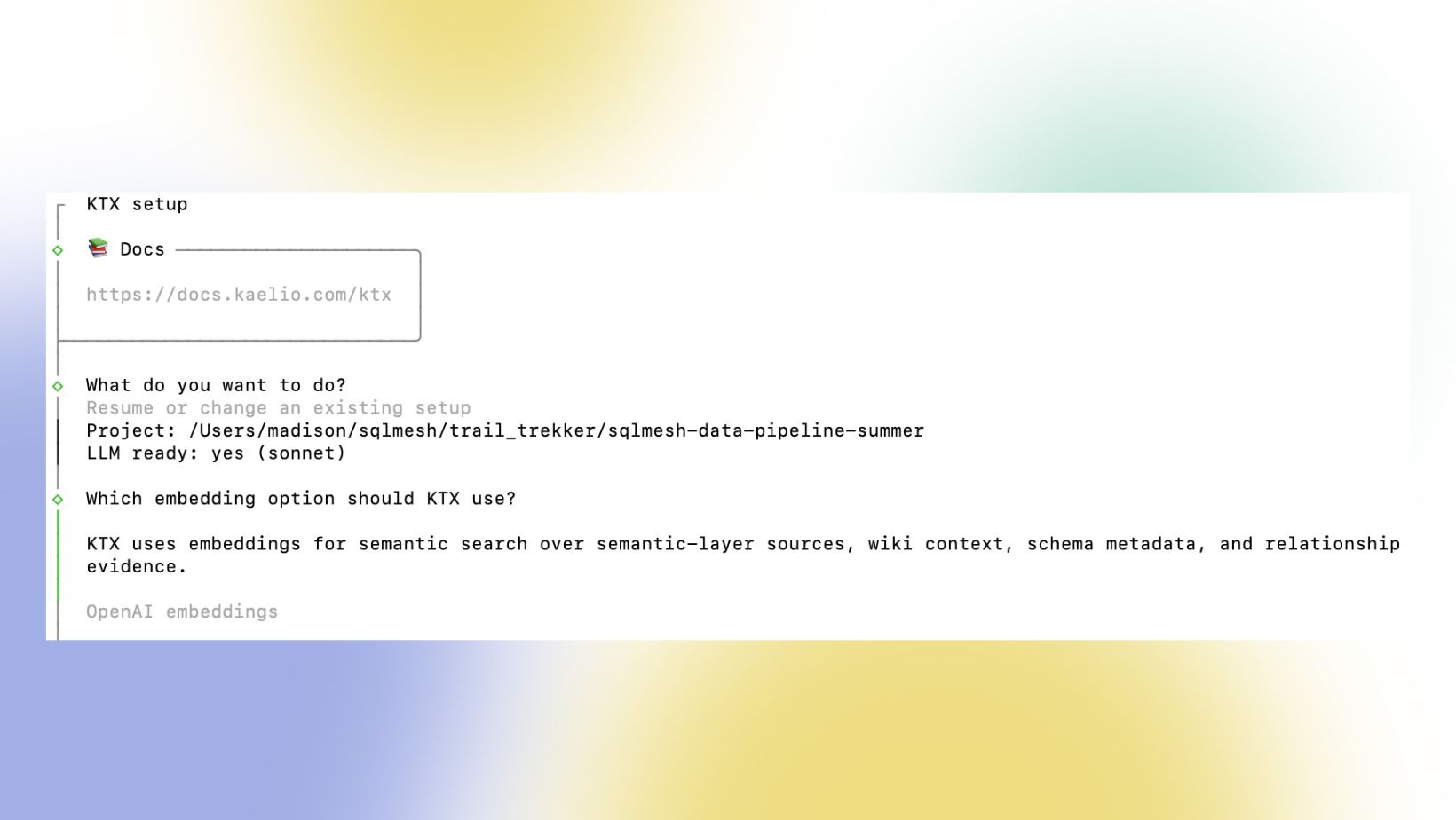
If you also have no idea what an embedding backend is, this is a way of converting text into a list of numbers (a vector) that captures the meaning of that text. It is specifically used for semantic search, and helps improve accuracy.
With ktx, you have the option of using an API token from OpenAI or a local PyTorch model. I was having issues downloading torch with my version of Python, so I loaded up $10 in tokens and opted for the API key.
Where does ktx gather context?
The next setup steps involve giving ktx access to different parts of your data stack so it can extract the context that it needs to help power accurate metric definitions.
You can connect your data warehouse, dbt project, Notion docs, BI tool, and more.
Data warehouse data and query history
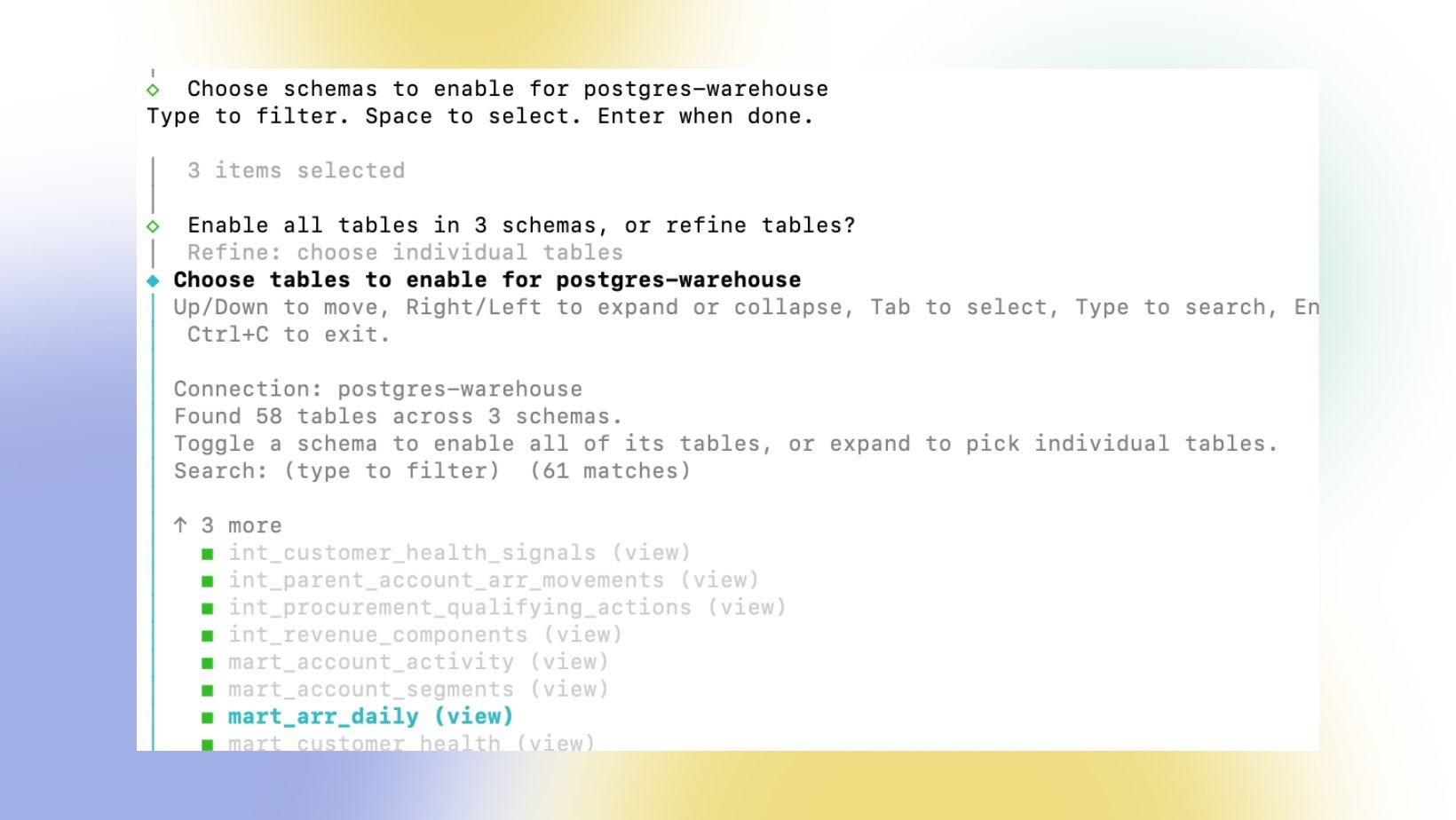
ktx asks for read access to your data warehouse so it can leverage metadata as context. You have the option to choose which databases and tables to give it access to, in the case of any PII.
I recommend starting with some development data and a table that you know doesn’t have any PII so you can test the tool out first before giving it full access.
I ended up using their demo PostgreSQL database which allows you to get a good feel for the tool before giving it access to your data.
While having data as context is essential, I find the query pattern metadata to be highly underrated. ktx knows exactly which tables are frequently joined and on which keys, giving it the context it needs to understand relationships between your data. It also knows the filters that are used most often, and for which models.
For example, you may join fact_sessions and dim_commerce_type tables frequently when doing analysis. These tables exist as two separate models in dbt, so there is no context in your dbt project on how to join these tables. However, they may be frequently joined downstream in the warehouse or within your BI tool. It may also be well-known amongst the team (but not documented), that you need to filter by “web” as the commerce type to get web sessions only.
This is key context that gets lost when only looking at dbt docs only.
Metadata from tools like dbt, Metricflow, and Looker
You also have the option to add data from your typical analytics engineering tools like dbt and Metricflow. Most analytics engineering teams depend on dbt for housing their documentation and tests. I always think of it as the sole provider of context.
I don’t think AI agents could do half the things they do without access to dbt docs and data models.
Setting this up with ktx requires a dbt project GitHub repo url and a branch name. Using this, ktx can gather data lineage, model definitions, and semantics.
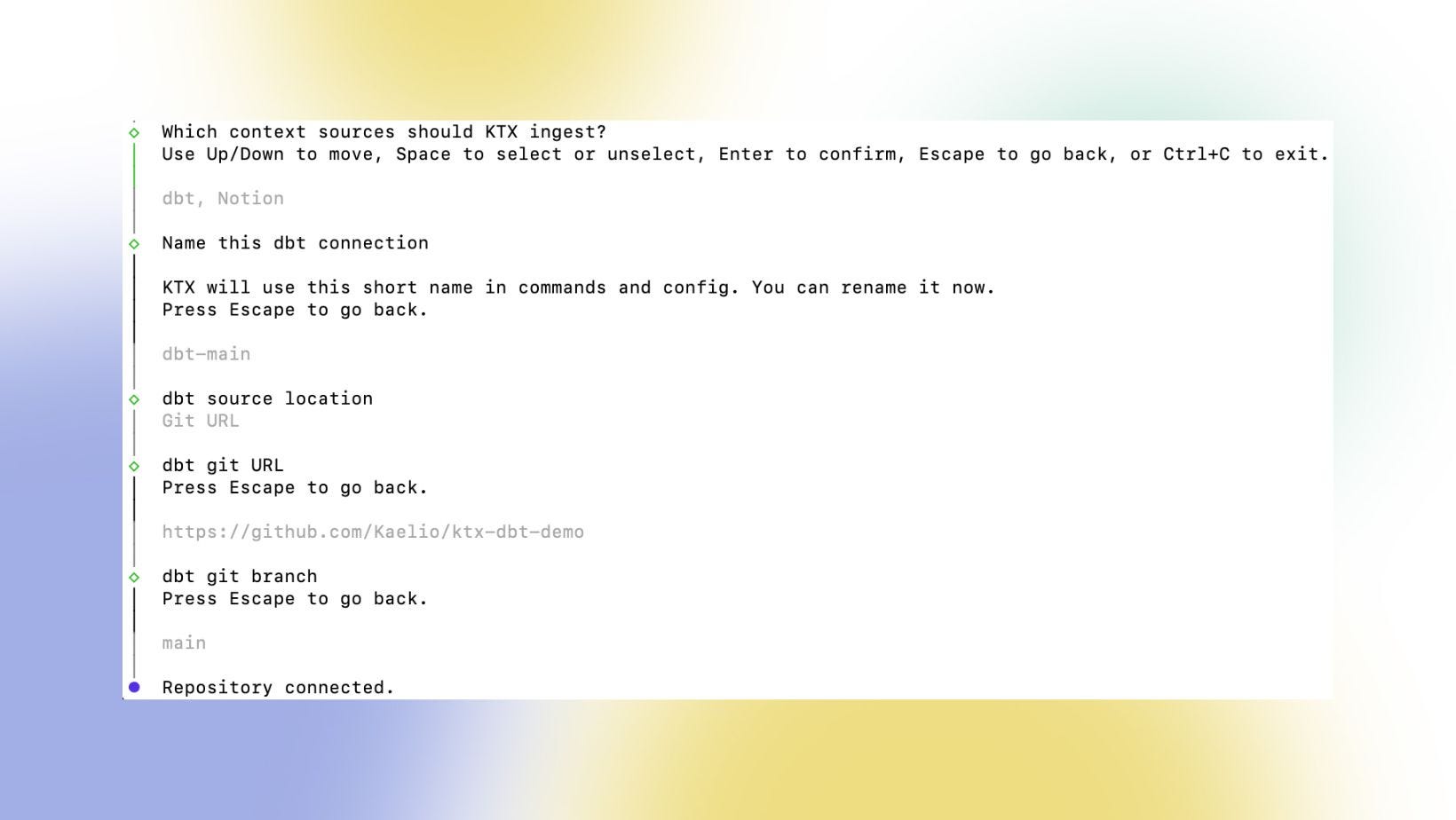
Connecting this to your BI tool is also a great way to find mismatching definitions across your data stack, giving you the chance to streamline them in your context layer as well as the individual tools.
Text from markdowns, Slack exports, and Notion
There is also the option to connect tools that we don’t typically associate with “technical” documentation, like Notion and Slack. The option to add documentation from places that the business frequents is what really got me excited about ktx.
I spend way too much time digging around these places looking for historical context and answers to random questions I have about business processes. It can be frustrating when you know the answer is out there somewhere, but you can’t seem to find it. ktx allows us to finally encode this key part of the business as technical context.
With Notion, you have the option to choose which workspaces and pages you want ingested, ensuring you’re not adding too much noise.
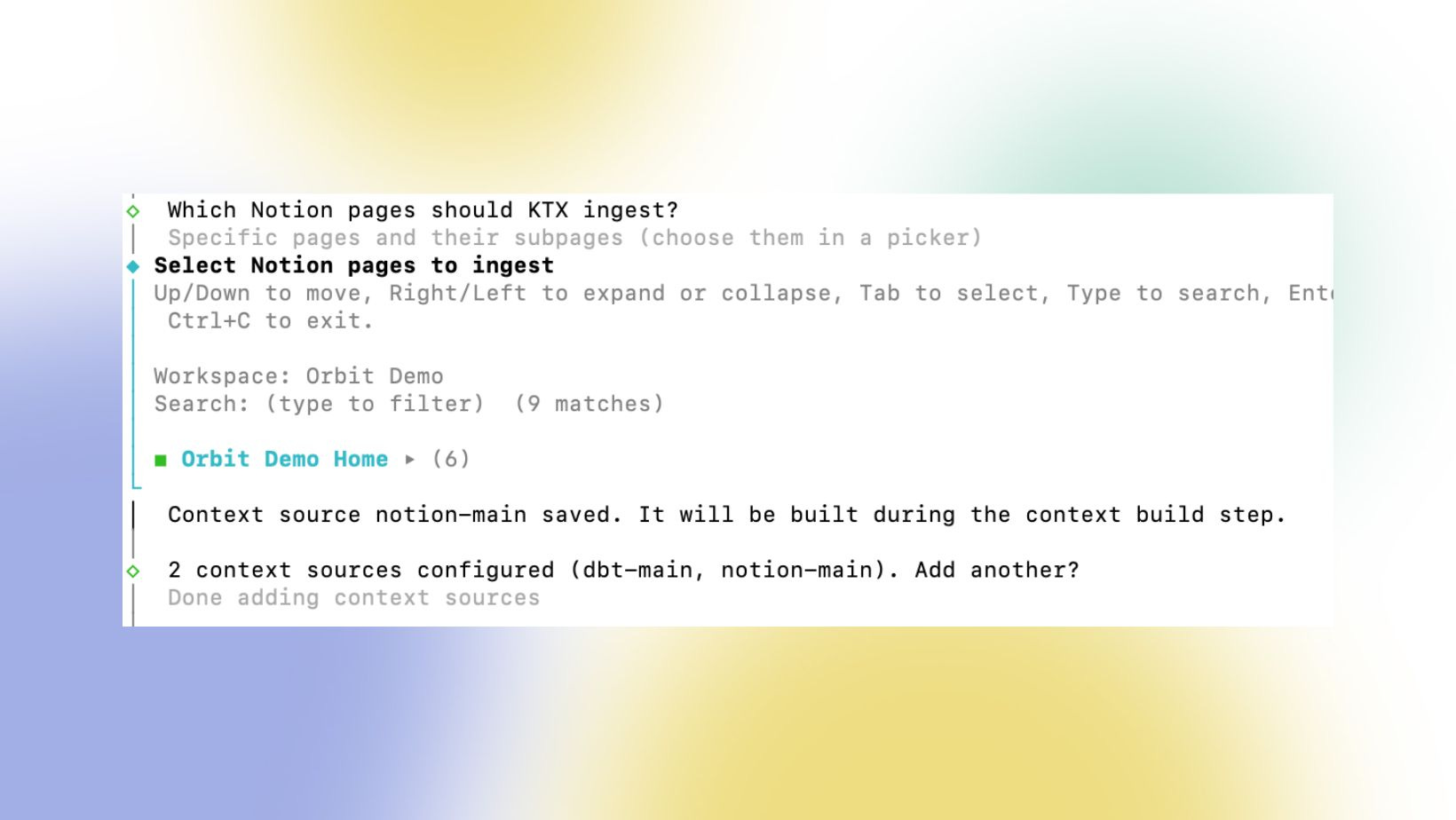
For example, let’s say product is releasing a new feature. They write up a long Notion doc on why this feature matters, how it can increase revenue, and how it fits into the current product ecosystem. As analytics engineers, we then need to build a data model around this product feature so we can measure adoption and the types of actions it’s driving. That original Notion doc becomes a blueprint for our work, yet none of that information will make it over to dbt.
When we combine this key business documentation that a lot of data models are built off with the actual technical implementation, the context is complete. There are no gaps or needing to turn to other outside tools to get the full story. It’s all in your codebase in one spot, ready to be consumed by an agent.
What does this look like in practice?
Once you’ve connected your different sources, you need to build the context so your agents can use it. One by one, you will see the different sources added as context.
This can take awhile, so give it some time!
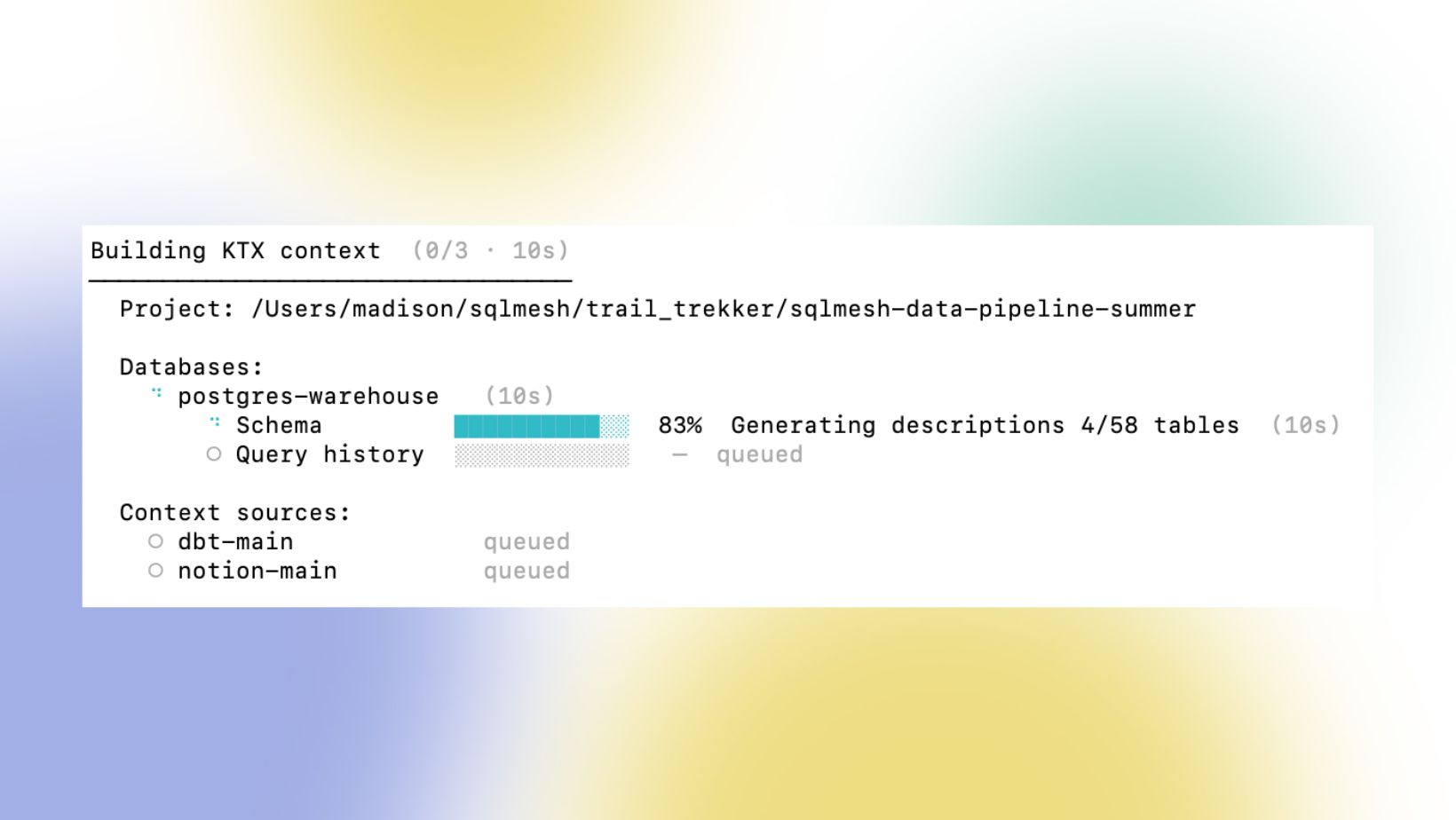
After building your context, you can access the context using a ktx MCP that exposes itself to your AI agent of choice, in my case Claude Code.
Now, I’m sure you’re all wondering, what does the context actually look like and does it make an impactful difference in your agent’s accuracy?
The truth is that the context integrates right into your normal workflow. It doesn’t feel like you are using a whole new tool, but you will notice streamlined accuracy that you weren’t getting previously.
When I asked the agent to give me a clear definition of MRR from my Trail Trekker projection, it referenced both the Notion docs that I included as context as well as my dbt models and query patterns.
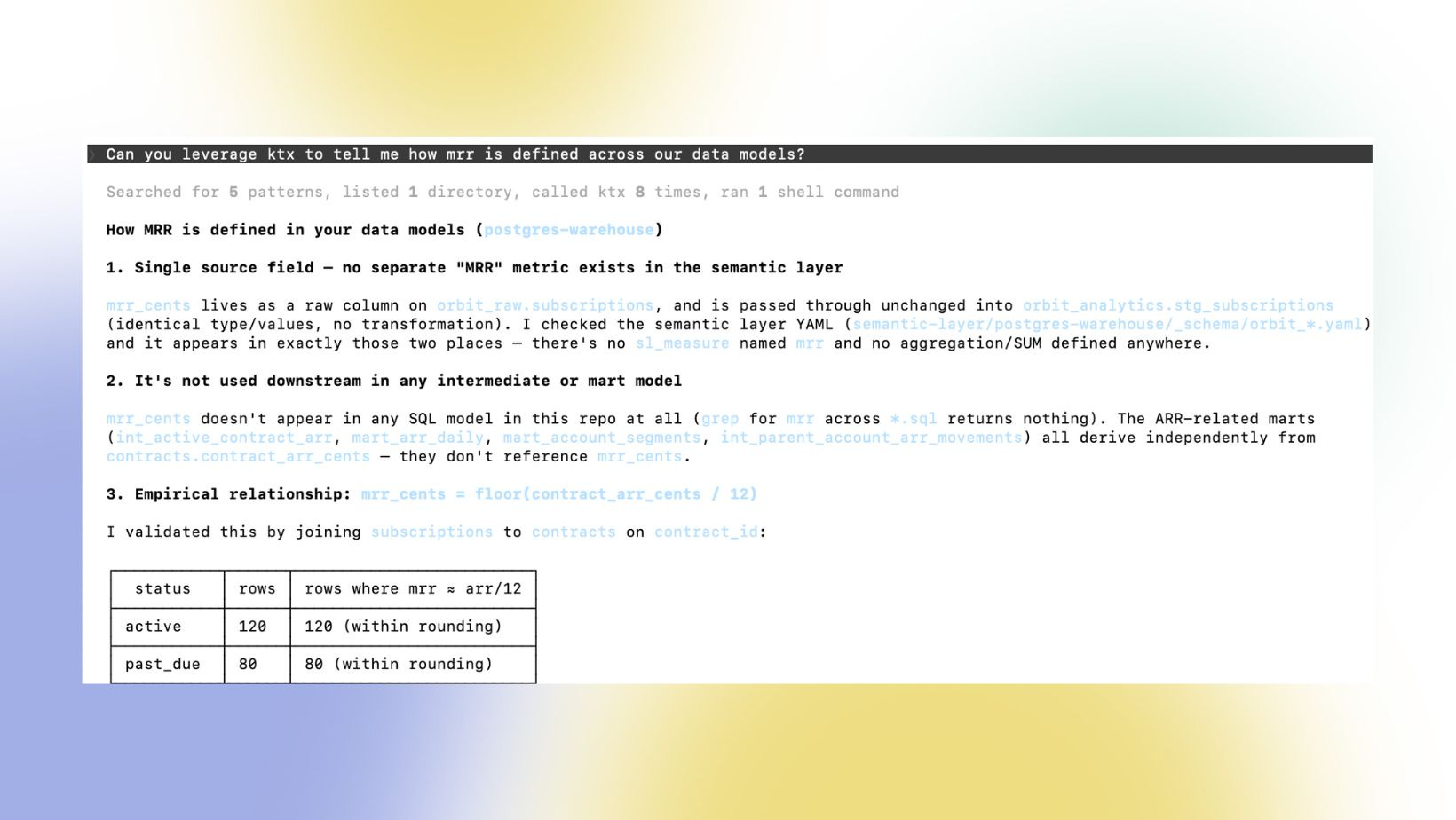
Context will no longer be entirely dependent on what’s in dbt, or limited to the data team’s knowledge of the business. Queries written by other teams and internal business processes unknown to the data team will begin to influence analytics.
Overall, I’m excited to test this out at my 9-5 where it can really make a difference in how the analytics engineering team works. No more digging through old Slack messages, or reading through tons of Notion pages just to find a few needed nuggets of information.
It’s about time we start combining technical code and written text for context! After all, analytics engineers exist to help bridge this gap. If anyone understands how important this is in helping AI agents get things right, it’s us.
While I don’t think I’m quite at the same level as Anthropic’s 95% accuracy, building a strong semantic layer with context from all areas of the business as well as the data stack will definitely help me get closer to reaching this number.
Shout out to Kaelio for partnering with me on this article! One of the reasons I love writing this newsletter is the chance to connect with innovative people building some awesome tools in the data space. I truly believe this one is going to move the needle for a lot of data teams and set the new semantic standards. Be sure to check them out and give ktx a star on GitHub!
Have a great week!
Madison